Companion
Herald
Herald watches local folders, notices when a release has finished downloading, and announces it in your hub's main chat. Set it up in the desktop app, then run it headless on the server.
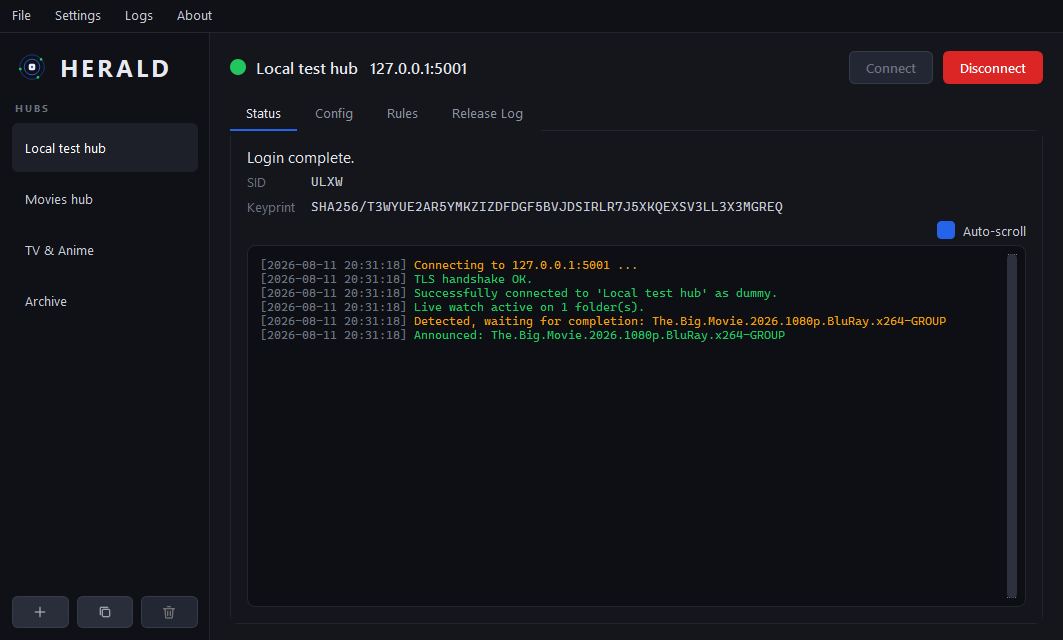
The status tab, with the live announce log for one hub.
Download
Unzip and run Herald.exe. No installer and no Python needed. Settings live in a portable data/ folder next to the executable, so you can move the whole thing to another machine.
Headless
pip install -r requirements-core.txt
python herald_cli.py --check      # validate config and watch paths
python herald_cli.py              # run every enabled hub
The engine imports no Qt, so a server install needs neither a desktop nor PySide6.
Docker
docker run -d --name herald \
  -v /path/to/herald-data:/app/data \
  -v /path/to/releases:/releases:ro \
  ghcr.io/luadch-ng/herald:latest
Mount the data/ folder you configured in the desktop app. Watch paths have to be valid on the machine that runs the engine, so set Target runtime OS to Linux before you enter them.
What it does
- 1.0.0Runs many hubs at once, each with its own connection, rules and announce history
- 1.0.0Waits for a release to be complete before announcing it: SFV present, size stable, CRC verified
- 1.0.0Per-rule filters for exclude and include lists, required NFO or SFV, hidden folders and maximum age
- 1.0.0ADCS with keyprint pinning, and a loud log line when a hub is unpinned
- 1.0.0Imports configurations and freshstuff categories from the old Lua announcer
Herald announces by sending a hub command, +addrel by default, so the hub needs a plugin that understands it. That is ptx_freshstuff on luadch and luadch-ng.